
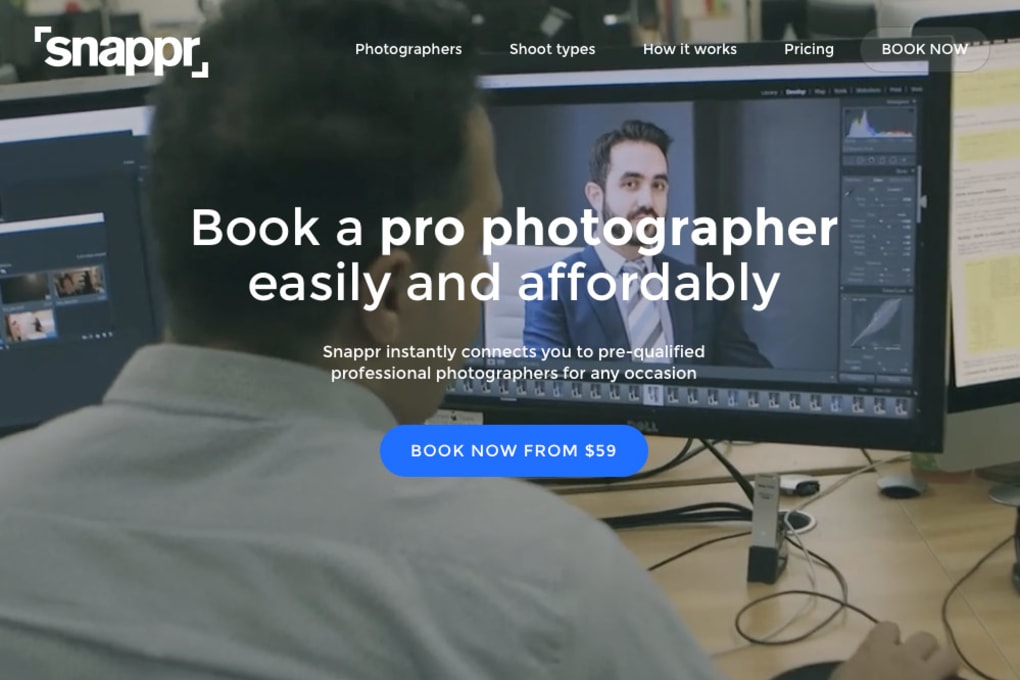


Download Snappr – Book Professional Photographers Instantly
Overview
Snappr is a streamlined, cloud‑based service that lets anyone find and book a professional photographer in minutes. Whether you’re planning a wedding, a family reunion, a corporate seminar, or simply need a portrait for a LinkedIn profile, Snappr connects you with vetted photographers who are available in your local area. After a quick registration, the platform presents a curated list of photographers based on location, price range, and real‑time availability. Users can compare portfolios, read client reviews, and lock in a session with a single click. The entire workflow—from searching for talent to confirming the appointment—is designed to be frictionless, secure, and mobile‑friendly, making Snappr a go‑to tool for busy individuals and businesses alike.
The service operates on a “pay‑as‑you‑go” model, eliminating hidden fees and long‑term contracts. Snappr also offers a satisfaction guarantee: if the delivered images don’t meet the agreed‑upon standards, a refund or a re‑shoot is arranged at no extra cost. This consumer‑first approach has helped Snappr earn a reputation for reliability and quality across the United States, Canada, the United Kingdom, and several other major markets. By integrating secure payment processing, automated reminders, and a built‑in rating system, Snappr ensures that every booking is both transparent and trustworthy.
Key Features
- Instant Local Search: Real‑time map view shows photographers within a 10‑mile radius, complete with availability slots.
- Verified Portfolios: Every photographer’s work is vetted for quality, and users can filter by style (e.g., candid, portrait, event).
- Transparent Pricing: Fixed rates displayed upfront; no surprise add‑ons.
- Secure Booking Engine: PCI‑DSS compliant payment gateway and encrypted data storage.
- Automated Confirmation & Reminders: Email and push notifications keep both parties informed.
- Built‑in Review System: Clients leave star ratings and written feedback that influence future bookings.
- Multi‑Device Access: Fully responsive web app works on Windows, macOS, Android, and iOS devices.
- Refund & Re‑shoot Guarantee: If the final images don’t meet expectations, Snappr handles refunds or a free re‑shoot.
- Corporate Packages: Tailored solutions for businesses needing headshots, product photography, or event coverage.
- API Integration: For larger enterprises, Snappr offers an API to embed booking functionality directly into existing platforms.
Installation, Usage & Compatibility
Getting Started – No Download Required
Snappr is a web‑based application, which means you don’t have to install any heavy software on your computer. Simply open your preferred browser (Chrome, Firefox, Safari, or Edge) and navigate to snappr.com. The site automatically detects your operating system and serves an optimized layout for Windows, macOS, Linux, Android, or iOS.
Step‑by‑Step Booking Process
- Create an Account: Sign up with an email address or use Google/Facebook OAuth for instant access.
- Enter Event Details: Specify date, time, location, and the type of photography you need.
- Browse Photographers: Use the filter panel to sort by price, style, or rating. Click on a profile to view a full portfolio.
- Select & Pay: Choose a photographer, confirm the session length, and pay securely via credit card, PayPal, or Apple/Google Pay.
- Receive Confirmation: Snappr sends an email receipt, a calendar invite, and a QR code for on‑site check‑in.
- Post‑Session Review: After the shoot, download high‑resolution images from the Snappr portal and leave a review.
Operating System Support
Snappr is compatible with the latest versions of Windows 10/11, macOS Monterey and later, Android 9+ and iOS 13+. Because the platform runs entirely in the browser, it also works on Linux distributions and tablets without any loss of functionality.
Updates & Security
Since Snappr is hosted in the cloud, updates are deployed automatically. Users always experience the newest features and security patches without needing to download a new version. All data transmissions are encrypted with TLS 1.3, and personal information is stored on ISO‑27001 certified servers.
Pros, Cons, FAQ & Final Verdict
Pros
- Lightning‑fast local search and instant booking.
- Transparent, fixed pricing with no hidden fees.
- Verified, high‑quality portfolios for every photographer.
- Secure, PCI‑compliant payment processing.
- Mobile‑friendly interface works on all major OS platforms.
- Refund/re‑shoot guarantee builds trust.
- Corporate packages and API for enterprise needs.
Cons
- Limited availability in rural or remote locations.
- Higher price points for premium photographers.
- No native desktop app (relies on web browser).
- Customer support response time can vary during peak periods.
Snappr delivers on its promise of a fast, secure, and hassle‑free way to book professional photographers. The platform’s intuitive design, transparent pricing, and strong verification process make it an excellent choice for both personal events and corporate projects. While coverage in some remote areas remains a challenge, the overall experience is polished enough to earn a solid 4.5‑star rating.
Frequently Asked Questions
How quickly can I book a photographer?
Bookings can be completed in under five minutes once you’ve entered your event details and selected a photographer.
Is Snappr safe for credit‑card payments?
Yes. Snappr uses a PCI‑DSS compliant payment gateway and encrypts all transactions with TLS 1.3.
Can I request a specific photographer for a corporate event?
Absolutely. Corporate accounts can reserve a particular photographer in advance, subject to availability.
What happens if I’m not satisfied with the photos?
Snappr offers a full refund or a complimentary re‑shoot if the final images don’t meet the agreed standards.
Do I need to download any software to view the images?
No. All delivered photos are accessible via the web portal and can be downloaded directly to any device.
Final Verdict & Call to Action
For anyone who values speed, reliability, and professional quality, Snappr stands out as a market‑leading solution. Its web‑based architecture eliminates the friction of traditional booking agencies, while the built‑in guarantees protect your investment. Whether you’re planning a wedding, a family portrait session, or a high‑stakes corporate shoot, Snappr gives you the confidence to secure the right photographer in just a few clicks. Ready to capture your next moment? Visit snappr.com today, create a free account, and book your first session with a trusted professional.



.png)



